🎉 Welcome to our new shop! -15 % across the entire site with the code Former customer? Retrieve your account →
⚡ Instant delivery by emailExcellent4,4/5 · 268 reviews💬 WhatsApp support 7 days a week

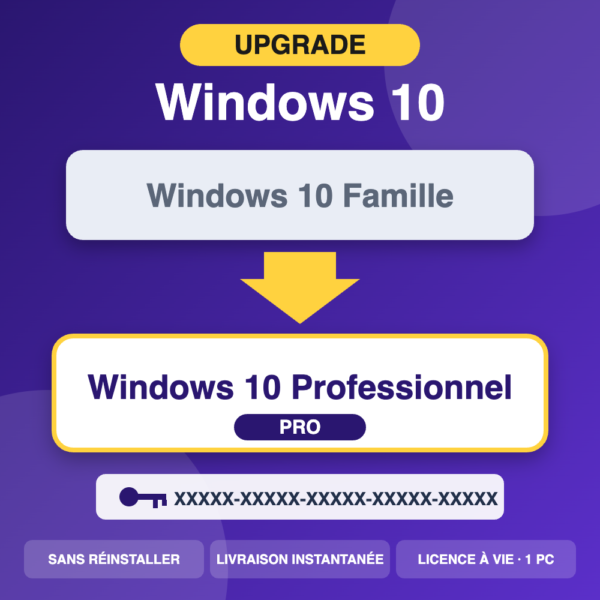
Windows 10 Pro Key – Upgrade from Home to Pro | Lifetime License | 1 PC

29,90 €

  • Upgrade from Family to Pro without reinstalling
  • Lifetime license for 1 PC
  • Official online activation
  • Key sent by email upon payment

Upgrade from Windows 10 Home to Windows 10 Pro without reinstalling: lifetime key for 1 PC, online activation, email delivery, invoice and 30-day warranty.

🔒 100% secure paymentVisaMastercardAmerican ExpressApple PayGoogle Pay
Excellent4,4/5 · 268 reviews
  • ⚡
    Immediate deliverySent by email immediately after payment
  • 🔒
    Secure paymentEncrypted and protected transaction
  • 💬
    WhatsApp support 7 days a weekA real person helps you
  • 🧾
    Automatic invoiceSent with your order
Category:

🌐 100% online activation – quick and easy

⚡ Immediate access after payment

📥 Instant delivery by email (approximately 30 seconds)

🔒 100% secure payment

🛠️ Installation guide included + support available 7 days a week

✔ Digital product – no physical shipment

Upgrade from Windows 10 Home to Windows 10 Professional

Your PC is running Windows 10 Home and you want the features of the version Professional This key? Windows 10 Pro allows you to change edition without reinstalling Windows: You keep your files and programs. It is also suitable for activating a new installation of Windows 10 Pro.

✅ What you receive

  • One Windows 10 Pro activation key for 1 PC, lifetime license
  • The installation and activation guide
  • Billing and 7/7 support (WhatsApp or email)

🔁 How to transition from Family to Professional

  1. Open Settings › Update & Security › Activation › Change Product Key.
  2. Enter the key received by email and then validate (internet connection required).
  3. Windows downloads the Pro edition and restarts: at the end, check in Activation that «Windows 10 Professional» is activated.

Tip: Back up your important files before making any changes to the editing process.

💼 What the Pro version offers in addition

  • BitLocker Disk encryption to protect your data
  • Remote Desktop : take control of your PC from another device
  • Hyper-V : integrated virtual machines
  • Junction to a domain and strategy management, useful in business

🔑 License details:

  • Lifetime license for 1 computer
  • Quick and easy online activation
  • For a PC already running Windows 10 Home

❓ Frequently Asked Questions

Do I need to reinstall Windows? No, the change in edition is done from the activation settings.

An error message appears? Send us a screenshot and your order number (UA4…) to WhatsApp.

What is the difference between Family and Professional? See our article Windows 11 Home or Pro. Need help downloading or installing? Resources & Downloads And installation guides.

🧩 Compatibility & prerequisites

✔ Compatible with: PC running Windows 10 Home already installed and activated : the key switches the PC to Pro edition (files and applications are retained).

✖ Not compatible with: Fresh installation of Windows, Windows 11, Windows 10 not activated, Mac, tablets and phones, Insider (beta) versions.

💡 For a new installation, choose the Windows 10 Professional key.

Before buying/installing: Check in Settings › Update & Security › Activation that Windows 10 Home is activated.

Activation: Settings › Update & Security › Activation › Change product key. The PC restarts in Pro edition.

⚠️ Windows 10 is no longer supported by Microsoft as of October 14, 2025 (no more free security updates). If your PC is compatible, choose Windows 11.

📩 Delivery & support:

After your order is confirmed, you will instantly receive your license and guide by email. Our technical support team is available 7 days a week to assist you every step of the way.

Need help?

Find answers to your questions about delivery, installation and activation.

Consult our Help & FAQ →

Chat on WhatsApp